Pixelfed
Federated photo sharing: pick a Pixelfed server, post pictures and albums, follow people on Pixelfed and the wider fediverse.
Web
Open source

The official Snapchat app for Windows from Snap Inc., available in the Microsoft Store. It runs Snapchat for Web in its own window.
Average 0.0 · ratings: 0
Thank you! Your rating is saved; you can change it. Could not save the rating. Please try again later. Too many ratings from your network today. Please try again tomorrow. The average appears after 5 ratings.
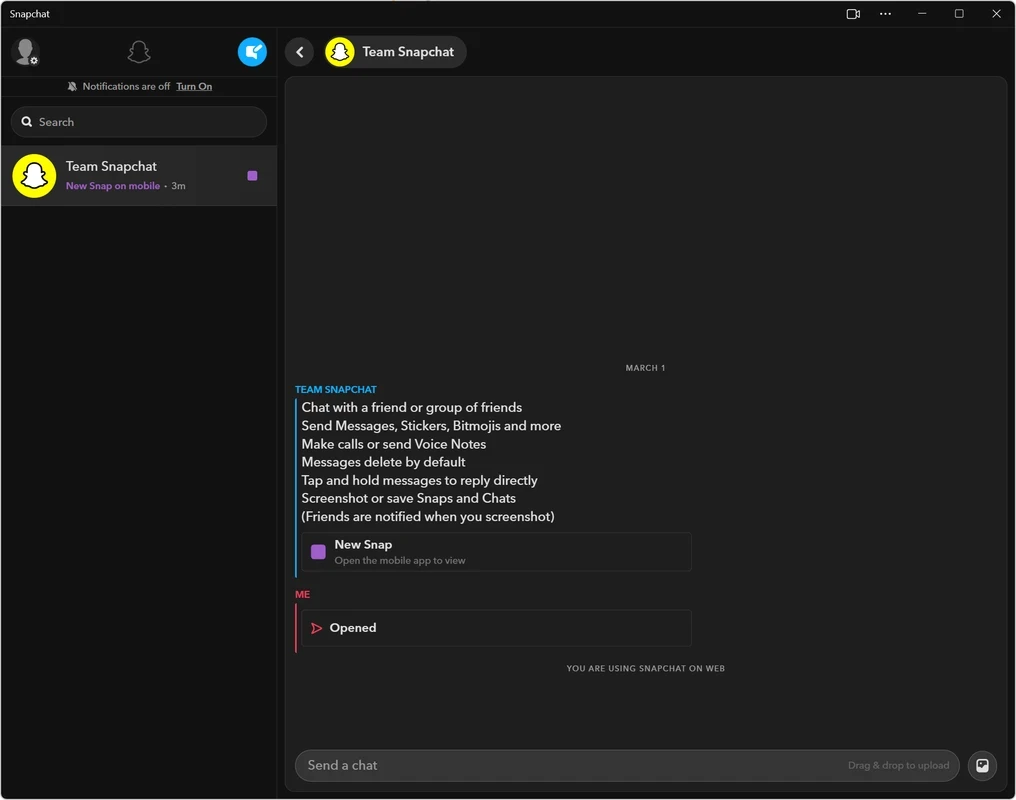
Snapchat 4.0.1.0 for Windows is the official desktop app of the photo and video messaging service, published by Snap Inc., the company behind Snapchat, in the Microsoft Store. Before you download Snapchat for PC, know that it is a web app: it opens Snapchat for Web in its own window, works the same way as the browser version and relies on the Edge or Chrome web runtime on your computer.
Snapchat itself is a social media app for sending photos, short videos and messages to friends and posting stories. It was created by Evan Spiegel, Bobby Murphy and Reggie Brown and launched in September 2011. Snap Inc. builds the full apps for iOS and Android, and the phone remains the place where the camera, lenses and every other feature work as intended. The Windows app is not a port of the mobile app: it packages Snapchat for Web as an installable program with its own window, a Start menu entry and a taskbar icon. Chats, snaps and video calls work as they do in the browser, and you sign in with your normal account and confirm the login from your phone. Because the app comes from Snap, it follows the service's changes together with the web version. That is the core trade-off: a tidy desktop window instead of a browser tab, with the same feature set as Snapchat for Web.
Install the app only from the Microsoft Store listing published by Snap Inc. Programs from other sites that call themselves Snapchat for PC are not made by Snap, could store your password or ship with unwanted software. Turn on two-factor authentication in the Snapchat app and check the list of logged-in devices from time to time. The catalogue lists the app at about 1.21 MB, which fits a small window around the web version.
According to Snap's support page, the official mobile app runs on Android 5.0 or newer, iOS 14.0 or higher and Fire OS 5+ devices. On a PC, both the Store app and Snapchat for Web need a current browser engine; you sign in with your normal account and confirm it from your phone.
The app is listed as freeware, and Snapchat itself is free to use; Snap sells optional extras inside its official apps. You do not need to pay anyone for a desktop Snapchat app.
To keep up with friends on a PC through official apps, our site also lists Instagram, Threads, X (Twitter), Reddit and TikTok Web. For Snapchat specifically, you can also use the web version in a browser or the mobile app from Google Play or the App Store.
Federated photo sharing: pick a Pixelfed server, post pictures and albums, follow people on Pixelfed and the wider fediverse.

Reddit for Windows is the desktop app of Reddit's discussion platform, where communities called subreddits share news, questions and posts.

Facebook Lite is the lightweight version of Facebook from Facebook Inc. This page covers build 530.0.0.8.106 listed for Windows.

X, formerly Twitter, is a microblogging service from X Corp. The Windows app puts your timeline, notifications and messages in a desktop window.

Threads is Meta's social networking and microblogging service for short public posts, connected to your Instagram account.

Instagram is Meta's photo and video social network. The Windows app brings the feed, Reels and direct messages to a PC running Windows 10 or 11.

TikTok Web is the browser version of TikTok from ByteDance, letting you watch, search and post short videos on a Windows PC without installing an app.

LinkedIn for Windows is the desktop app of the social network for professionals, used for networking, job search and industry news.